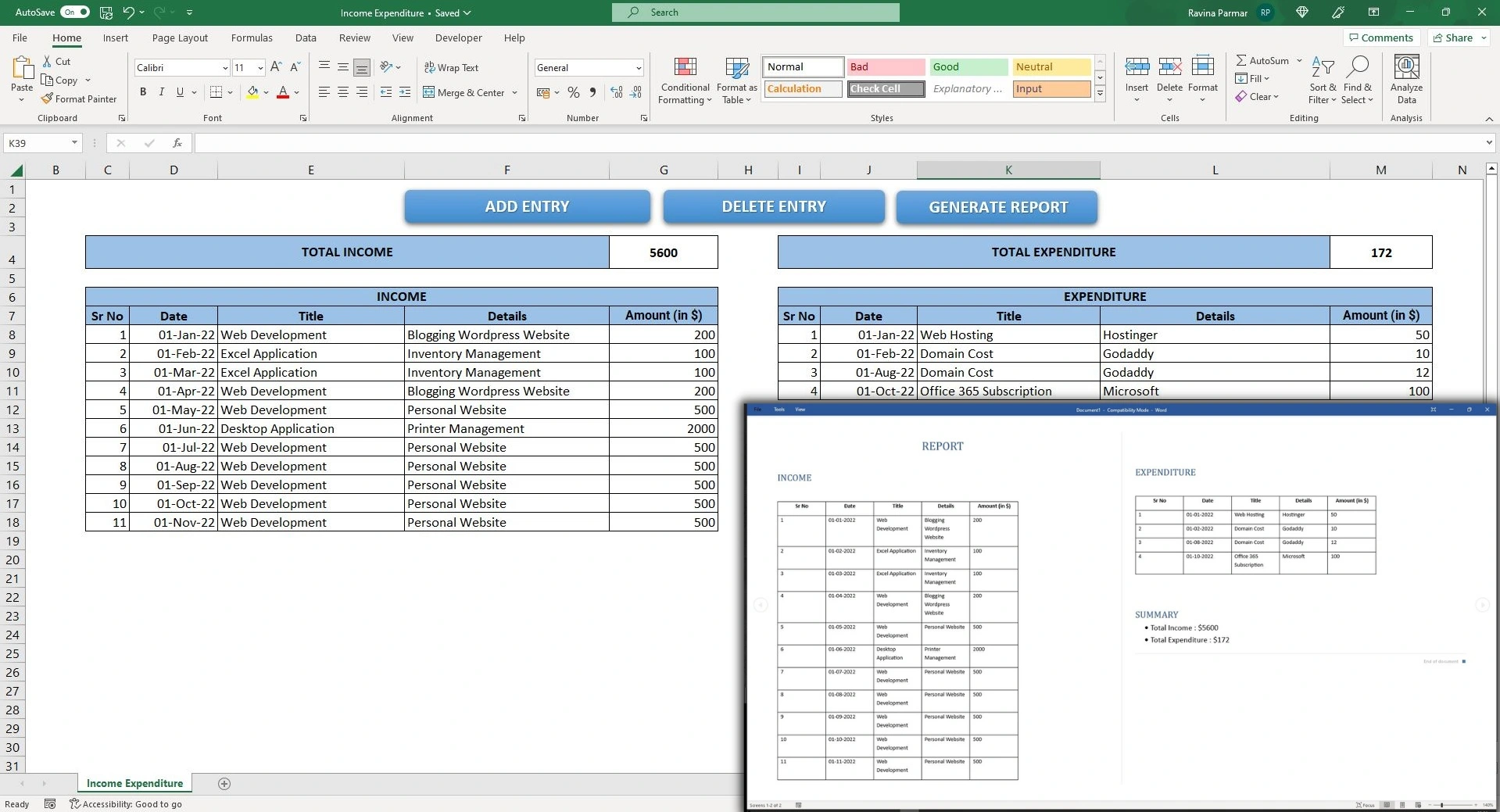
Did you struggle to manage your finances in the year 2022 and looking forward to improving it in the new year of 2023? If yes, then the Income Expenditure application comes to your help. To manage the finances, the first step is to know how and when the money is coming in your pocket, second step is to know when and where it is going out. Here, the Income Expenditure application will come very handy to you. It is an excel application. With this application, you can add your income and expenditure entries. You can also delete it with a single click. It gives you the total of the income and expenditure, that helps you in understanding about your current state of finances. It displays the Income entries in the left side of the table and expenditure in the right side of the table, with that, it helps you in getting insights about your finances very clearly. What is the System and Software Requirement to use Income Expenditure application? System Requirement Software Requirement How to Use it effectively to manage your finances? The first and foremost thing is to trust the process and apply it consistently. As soon as your money comes in your pocket, make an entry for it in the Income section. If the money goes out of your pocket, make an entry in the Expenditure section. Do you want to know how it can be done in the application? Read further… How to add Income entry in application? You can add the Income entry by clicking on the ADD ENTRY button and selecting INCOME option. When you click on ADD button, after filling in all information, It makes an entry in the Income table with the current date. It also updates the Total Income accordingly. Steps How to add Expenditure entry in application ? You can add the Expenditure entry by clicking on the ADD ENTRY button and selecting EXPENDITURE option. When you click on ADD button, after filling in all information, It makes an entry in the Expenditure table with the current date. It also updates the Total Expenditure accordingly. Steps How to delete an entry from the application? Steps How to generate the Report? You can generate a Microsoft Word report by clicking on GENERATE REPORT button. Steps Conclusion The application is very simple yet effective in getting insights about your finances and taking the correct decisions for your own or business purpose. Try using it and comment your feedback in this post. You can also write us on social.sovels@gmail.com for any help.